Restaurant social media post ideas: 30 for restaurants and cafés
The best restaurant and café social media posts make someone hungry and tell them when to come: a dish being plated, today’s special before lunch, the new menu with prices, opening hours for the bank holiday. Below are 30 specific ideas grouped by theme, with the format that suits each.
Post when people are deciding where to eat. Late morning for lunch and mid-afternoon for dinner are sensible times to test first; your own results will tell you more.
30 restaurant and café post ideas, by theme
Food and the kitchen
- 1. A dish being plated, start to finish.
- 2. The prep nobody sees: stocks, dough, a mountain of onions.
- 3. Where one ingredient comes from: the farm, baker or roaster, named with their agreement.
- 4. Staff meal: what the kitchen eats before service.
- 5. A dish in testing, and the version that didn’t make the menu.
- 6. Closing down at night: the clean-down after the last cover.
People
- 7. Meet the team: the kitchen porter, the barista, the owner.
- 8. Front of house setting up before doors open.
- 9. A regular’s usual order, with their permission.
- 10. Staff picks: what the team orders on their break.
Menu, offers and booking
- 11. A menu change, one new dish per carousel slide, with prices.
- 12. Today’s special as a Story before 11am.
- 13. Set lunch or early-evening menu, with the real times and price.
- 14. Which dishes are vegan or gluten-free, and a reminder to tell staff about allergies.
- 15. Gift cards before December and Mother’s Day.
- 16. Christmas party bookings open, with the menu and deposit.
Seasonal and events
- 17. The first seasonal produce arriving at the back door.
- 18. The days that suit your menu: Pancake Day, Burns Night, Lunar New Year, Thanksgiving.
- 19. Live music, quiz night or a supper club.
- 20. Holiday opening hours, posted a week ahead and again on the day.
How-to and FAQs
- 21. How to make the house dressing at home, if you’re happy to share it.
- 22. Flat white, latte, cortado: what’s actually different.
- 23. What to drink with the new dish.
- 24. “Do you take walk-ins?” answered plainly.
- 25. “Is there step-free access, parking, a high chair?”
Community
- 26. A local school or charity you support.
- 27. The florist or potter whose work is on your tables.
- 28. Customers’ own photos, reshared with permission.
- 29. A thank-you after a busy weekend or a big event.
- 30. A neighbouring business’s opening or anniversary.
Which format suits which idea
| Ideas | Format | Shape |
|---|---|---|
| Plating, prep, clean-down, coffee explainer (1, 2, 6, 22) | Reel or TikTok | 9:16 vertical |
| Today’s special, walk-ins, live music tonight (12, 19, 24) | Story | 9:16 vertical |
| New menu, allergens, Christmas menu (11, 14, 16) | Carousel | 4:5 portrait, up to 10 slides on Instagram |
| A single dish, meet the team, supplier (3, 7, 17) | Single image | 4:5 or 1:1 |
| Opening hours and booking news on Facebook (20) | Text post | Facebook takes text alone; pin it to the top of the page |
If a photo of a dish will be cropped, check the shape first: the best aspect ratio for each platform.
Posts to avoid
- Claims you can’t back up. “Best pizza in the city”, “organic” or “locally sourced” when only some of it is.
- Allergen promises you can’t keep. Don’t call a dish nut-free if the kitchen handles nuts. Check every allergen line against your own records.
- False urgency. “Last few tables!” when the book is open.
- Other people’s photos. Stock food photos, or a picture that doesn’t look like the plate you serve.
- Customers who didn’t agree. Diners in the background, and especially children.
Turn the list into a month
- Choose three or four posting days that fit service, not your quietest hour.
- Fix the regulars: a Monday “this week” post, a daily special Story, a weekend event post.
- Fill the other slots from the list, rotating themes.
- Mark the dates: menu changes, holidays, bookings opening for December.
- Shoot dishes in batches when the light is good, before service.
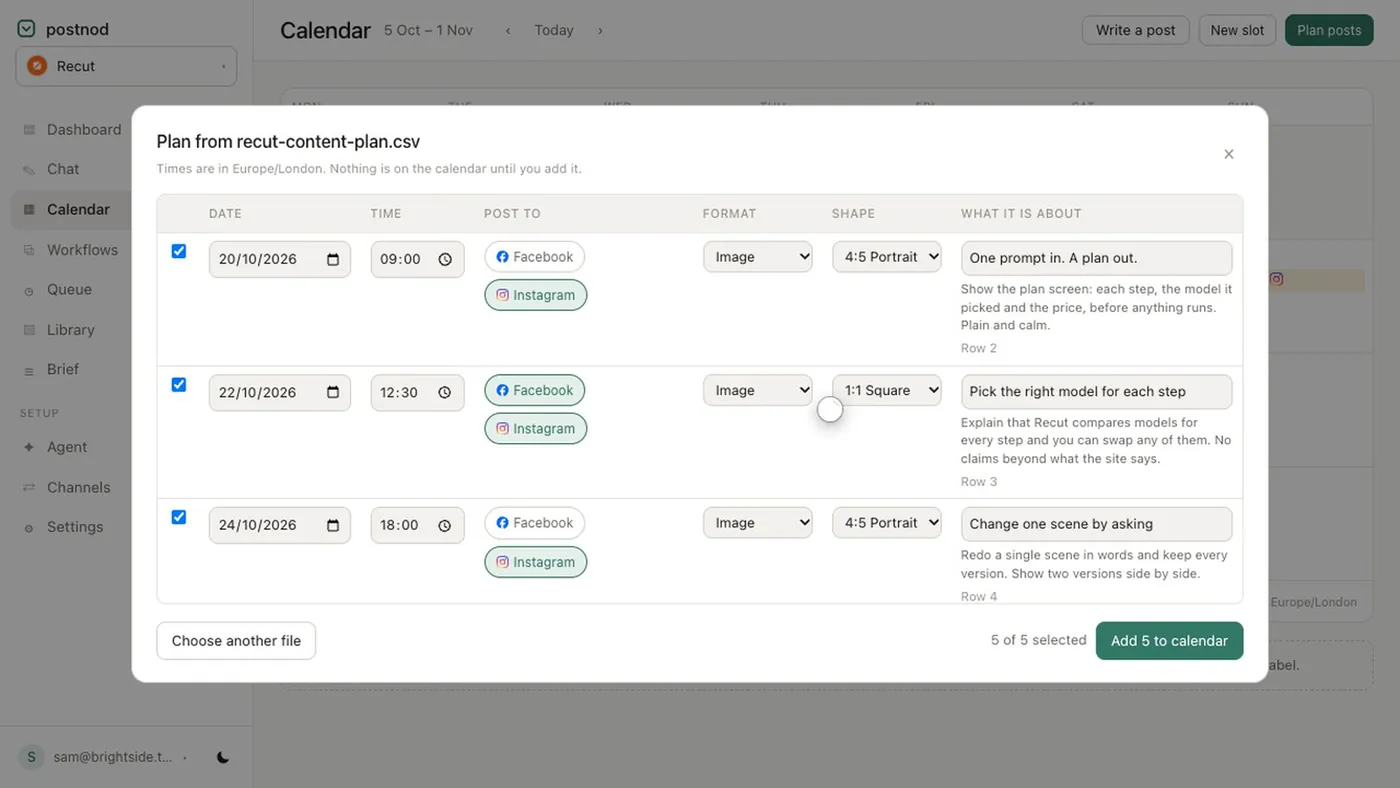
Lay it out with our social media calendar template and keep it running with a content calendar. If your plan already lives in a spreadsheet, Postnod can import it and turn each row into a drafted post that waits for your approval.
Questions people ask
What should a restaurant post on social media?
Food being made, today’s specials, menu changes with prices, the team, events and practical details such as hours and access. Specific posts that help someone decide to come in beat generic food photos.
What should a café post on Instagram?
The same mix at a smaller scale: the morning bake, the coffee being made, the people behind the counter, and Stories for daily specials and changes to opening hours.
How often should a restaurant post on social media?
Three or four feed posts a week plus daily Stories on open days is a common starting point. See how often a business should post.
Can I repost customers’ photos of our food?
Ask first, even if they tagged you, and credit them in the caption. A quick message asking “can we share this?” is enough.
Try it on one brand
Postnod reads your website, drafts posts in your brand’s voice, checks them against your rules and waits for your nod. Nothing is posted until a person approves it. Free for one brand.
Related guides
Planning and calendarsFree social media calendar template (CSV for Excel or Google Sheets) Planning and calendarsSocial media posting schedule: how to set one you can keepSizes and character limitsBest aspect ratio for social media: one table, every placement
 Post ideas by tradeSocial media post ideas for small business: 30 for any trade