Social media approval tool: what to look for before you choose
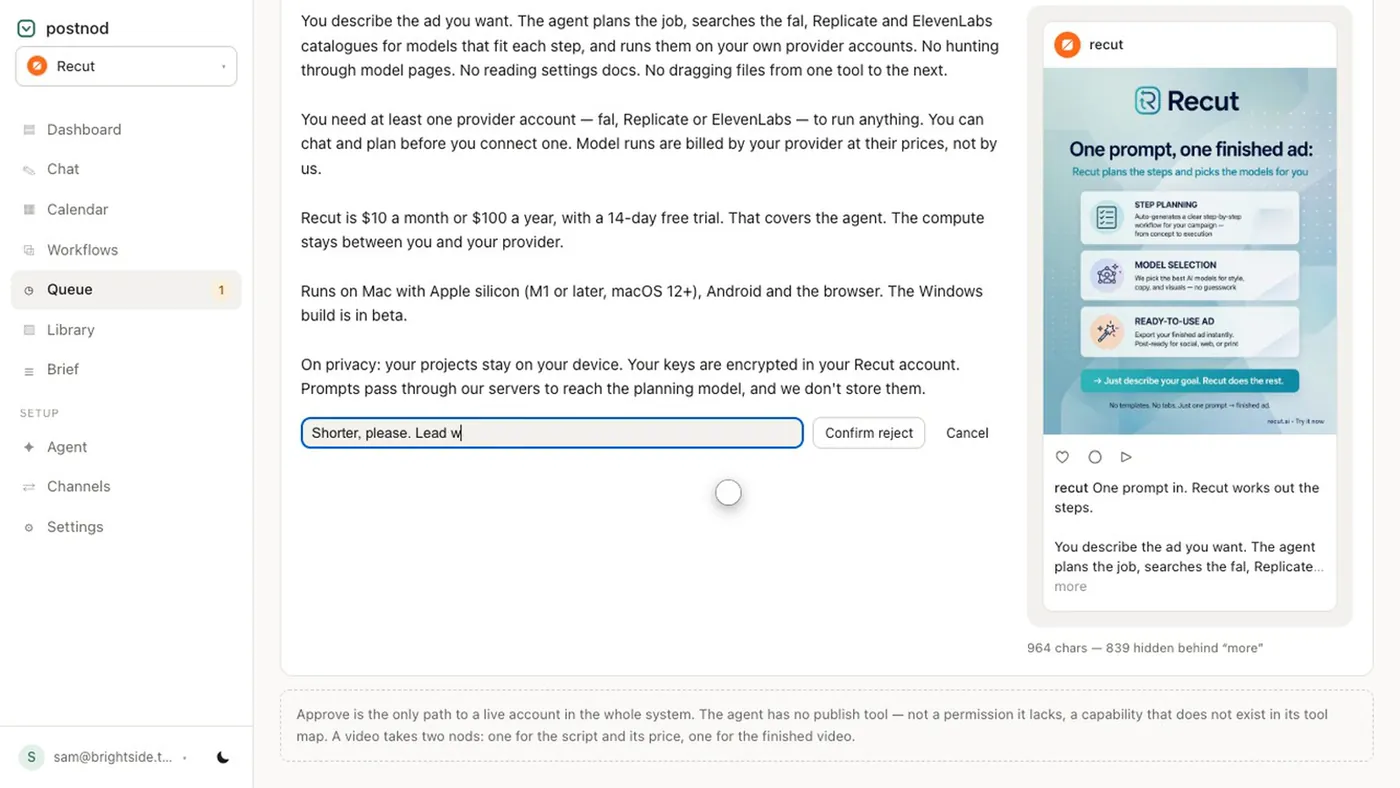
A social media approval tool is software that holds a post in a queue until a named person signs it off, and only then lets it publish. The one feature that matters most is that publishing is impossible without approval, not merely discouraged. After that, look for separate writer and approver roles, a realistic preview, a record of who approved what, and an expiry for posts nobody answers.
If you post for one brand and approve your own posts, you may not need one. Once you post for clients, clinics or several brands, a tool that enforces sign-off is safer than a shared document and a promise.
The checklist
Use this table during a free trial. Test each one; do not take a feature list’s word for it.
| Feature | Why it matters | How to test it |
|---|---|---|
| Publishing blocked until approval | Otherwise approval is a convention, not a control | Log in as a writer and try to publish or schedule an unapproved post |
| Writer and approver roles kept apart | The person who writes should not sign off their own work | Check whether an editor role can approve |
| Approve-only role for clients or clinicians | Reviewers should check, not rewrite | Invite a test approver and see what they can change |
| Realistic phone preview | Catches crops and captions cut off at “more” | Compare the preview with the post once live |
| Approval record | Shows who approved which version, and when | Find the record a week later |
| Reject with a note | Changes go back to the writer with a reason | Reject a post and see what the writer receives |
| Expiry for unanswered posts | Stops scheduled posts going out unseen | Leave a post unapproved past its time |
| Edits after approval go back round | An approval should cover the version that publishes | Edit an approved post and check its status |
| Separate brands and accounts | Prevents the right post on the wrong account | Check whether one brand’s post can target another’s page |
| Platform checks | Caption length, media count and image shape per platform | Paste a long caption and an odd-shaped image |
What matters most for whom
- Agencies: approve-only roles for clients, batching, multiple brands kept apart, and an expiry. See the agency approval workflow.
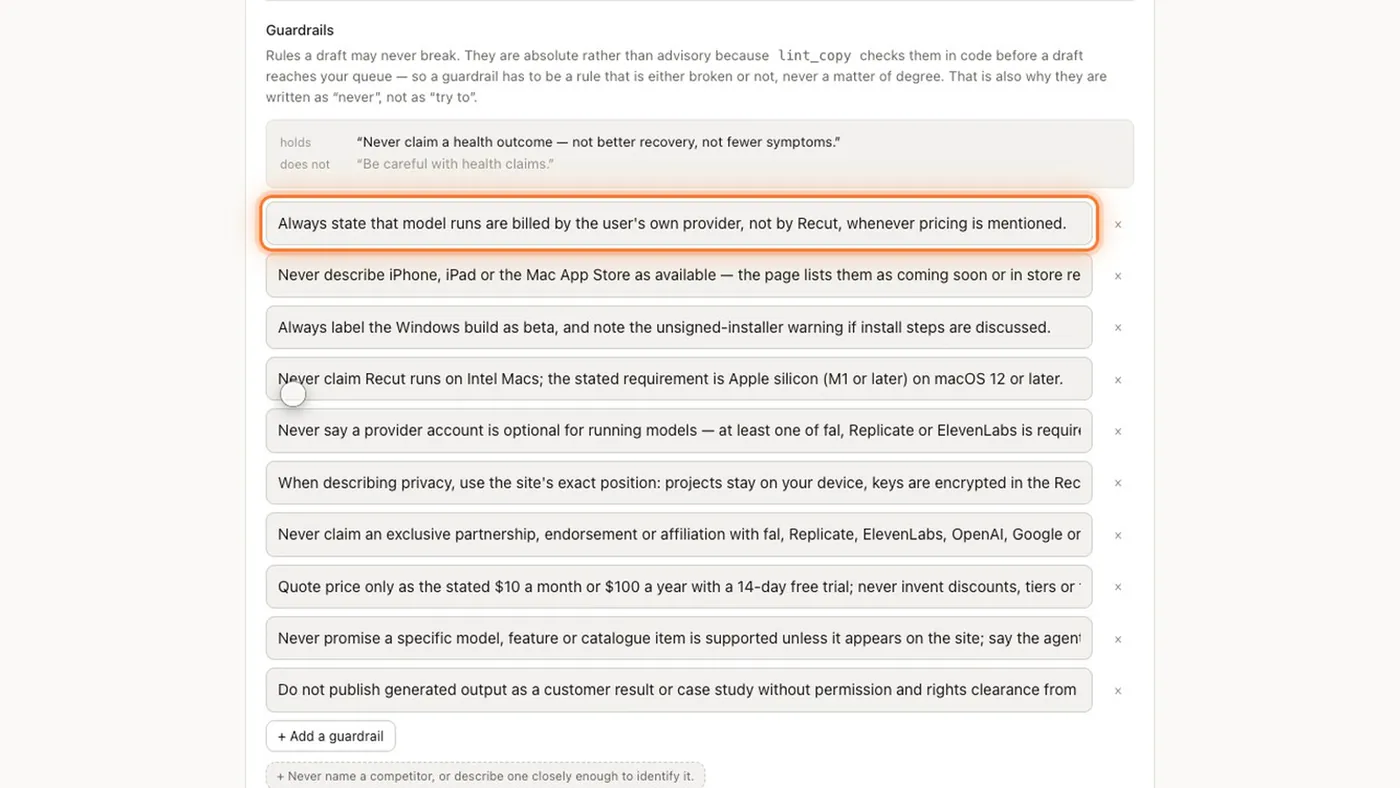
- Clinics and regulated brands: a hard block on publishing, an approval record, brand rules checked before review (banned words, claims you cannot make), and clinician sign-off. See healthcare social media guidelines.
- Small in-house teams: a simple queue, a good preview, and a tool everyone will actually open. Fewer features used every week beats many features nobody touches.
Questions to ask before you pay
- Is there any route from draft to published that skips approval, including an admin “publish now” button?
- What happens to a scheduled post if nobody approves it?
- Do clients or reviewers need a paid seat to approve?
- Does it publish itself, or hand the post to a scheduler you already use? Which channels can it post to directly?
- Where is content stored, and can you export your approval history?
- Is pricing per brand, per channel, per seat or per post? Which grows fastest for you?
An approval tool is not a compliance certificate. It helps you prove a person checked a post; whether the post meets your regulator’s or advertising rules is still a human judgement.
Where Postnod fits, and where it does not
Postnod is an AI social media agent with the approval gate built in rather than added on. The agent drafts the caption and image from your calendar, checks them against your brand rules in code, and stages the post. It has no publishing tool at all; delivery happens only after someone presses Approve. Editors cannot approve, approvers cannot write, and a post nobody looks at for three days lapses.
What it is not: it does not replace a scheduler you already pay for. It delivers through Instagram and Facebook directly, LinkedIn sign-in, or a Buffer, Zernio or Postiz account you connect, and those services bill at their end. It does not publish directly to TikTok, YouTube or X. And it is an early product, so test it against the checklist above like anything else.
Questions people ask
What is a social media approval tool?
Software that holds social posts in a queue until a named person approves them, then lets them publish. Good ones block publishing without approval and keep a record of who signed off.
Do clients need an account to approve social media posts?
It depends on the tool. Some send a link; others give the client an approve-only login. A login is better if you need a record of exactly who approved.
Can I use a spreadsheet for social media approvals?
For a handful of posts, yes. The weakness is that nothing stops an unapproved post being scheduled; a spreadsheet records intentions, not controls.
What features should a social media approval tool have?
At minimum: publishing blocked until approval, separate writer and approver roles, a realistic preview, reject with a note, an approval record and an expiry for unanswered posts.
Try it on one brand
Postnod reads your website, drafts posts in your brand’s voice, checks them against your rules and waits for your nod. Nothing is posted until a person approves it. Free for one brand.
Related guides
Approval and workflowSocial media approval process: a simple one that holdsApproval and workflowSocial media approval workflow for agencies and their clients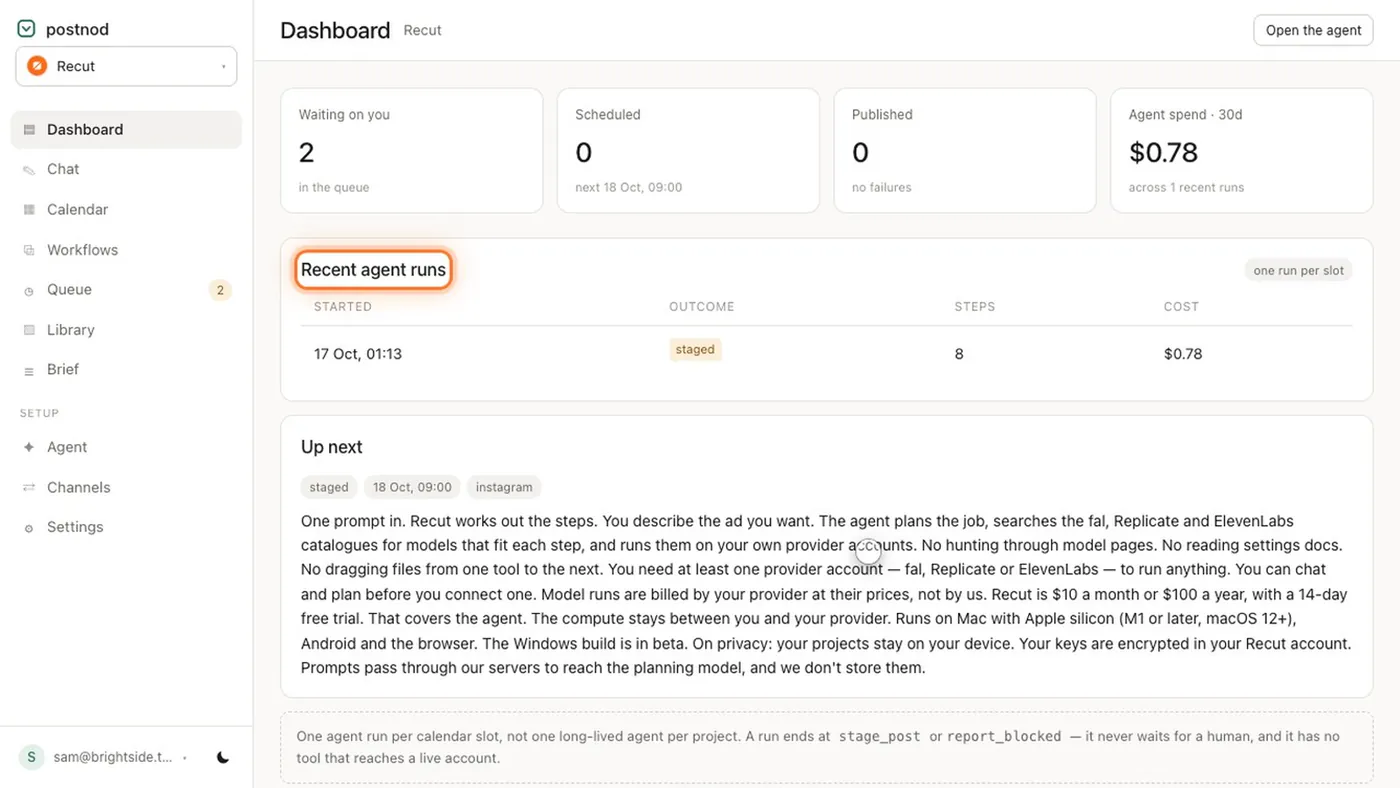 Approval and workflowAI social media manager: what it can do, and what it should not
 Rules for regulated brandsSocial media guidelines for healthcare: what clinics can post